
Menu

Sign in Start for free

The #1 Free App for Smart Control of Your Pantry

Keep control of your home products inventory and expiration dates. Know always what you have. Know always what you need.

Works like an APP on:
๐ŸŽ iOS ๐Ÿค– Android ๐Ÿ’ป Web

Free 14-day trial โ€” no commitment. Access to all Pro features.

Features That You Need

Everything you need to manage your pantry efficiently โ€” organized, shared, and always up to date.

๐Ÿ“ฆ

Create Multiple Spaces

Organize your supplies across different spaces: Kitchen, Fridge, Freezer, Pantry and more. Keep everything organized.

๐Ÿ“

Create Multiple Lists

Build shopping lists, meal plans, or inventory lists. Track what you need and what you have easily.

โš ๏ธ

Track Product Stock

Get notified when items reach minimum levels. Never be caught without essential products at home.

๐Ÿ“…

Track Expiration Dates

Monitor expiration dates automatically. Get alerts before products expire and reduce food waste in your home.

๐Ÿ‘จโ€๐Ÿ‘ฉโ€๐Ÿ‘งโ€๐Ÿ‘ฆ

Share Resources

Invite family members to collaborate. Everyone can see and update the pantry in real-time.

๐Ÿ“ท

Barcode Scaner

Instantly scan barcodes with your phone camera to add products, update quantities, and manage stock in seconds โ€” no typing required.

Get started for free

Why Choose SuppList?

Discover the key features that make managing your pantry effortless.

Product Stock & Expiration Date Tracker

Keep complete control of your inventory. Track stock levels for all your products and receive automatic alerts when items are running low or expiration dates are approaching. Never waste food again and always know what you have at home.

Get started for free

Stock & Expiration Tracking

Barcode Scanner For Easy Stock Control

Scan product barcodes with your phone camera to instantly add, update, or remove items from your spaces and lists. No typing required. Once a product is configured, simply scan to manage your inventory โ€” it's that easy and fast.

Get started for free
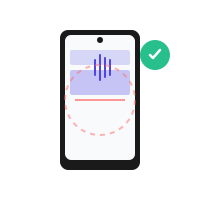
Barcode Scanner

Family Grocery Planning & Collaboration

Invite family members to collaborate on your pantry. Everyone can view real-time updates, add items, and manage the inventory together. Perfect for households where multiple people do the shopping and need to stay synchronized.

Get started for free

Multiple Members Collaboration

Simple and Transparent Pricing

Pick the plan that fits your home โ€” no surprises, cancel anytime.

Free

To get started

โ‚ฌ0

Forever

  • โœ“5 Spaces
  • โœ“5 Lists
  • โœ“100 Products
  • โœ“Stock Tracking
  • โœ“Expiration Tracking
  • โœ“Use Shared Resources
  • โ€”Share Resources
  • โ€”Priority Support
  • โ€”Share Plan with 4 Users
Get Started
Unlimited*

Without limits

โ‚ฌ19.99

/month

  • โœ“Unlimited Spaces
  • โœ“Unlimited Lists
  • โœ“Unlimited Products
  • โœ“Stock Tracking
  • โœ“Expiration Tracking
  • โœ“Use Shared Resources
  • โœ“Share Resources
  • โœ“Priority Support
  • โœ“Share Plan with 4 Users
Get Started

* Unlimited plan applies to normal usage only. For intensive use cases, contact us.

Frequently Asked Questions

Find answers to common questions about SuppList.

Is SuppList really free? โ–ผ
Yes, SuppList has a free plan that includes 5 spaces, 5 lists, and up to 100 products. For more features and unlimited items, you can upgrade to Pro (โ‚ฌ4.99/month) or Unlimited (โ‚ฌ19.99/month) with a 14-day free trial on Pro.
Do I need to provide a credit card to start? โ–ผ
No! The free plan requires no credit card at all. If you want to try Pro features, we offer a 14-day free trial that also doesn't require a credit card upfront.
Can I share my pantry with family members? โ–ผ
Yes! Free users can use shared resources created by others. Pro users can create and share their own resources with up to their plan limits. Unlimited users can share their plan with up to 4 family members who get full access.
How do expiration date alerts work? โ–ผ
When you add a product with an expiration date, SuppList tracks it and sends you notifications as the date approaches. You'll be alerted before items expire, helping you reduce food waste and keep your family safe.
Can I scan barcodes to add products? โ–ผ
Yes! SuppList has a built-in barcode scanner that works with your phone camera. Once a product is configured in the app, you can use the barcode to quickly add and remove it from your spaces and lists โ€” no typing required. This makes managing your pantry inventory fast and efficient. Available on all plans.
Can I access SuppList on multiple devices? โ–ผ
Absolutely! SuppList works on both mobile and desktop. Your data syncs in real-time across all your devices, so you can check your pantry from your phone, tablet, or computer anytime.
What happens if I exceed my plan limits? โ–ผ
If you reach your plan limits, you'll get a notification. You can still use your existing items and access your pantry, but you won't be able to add new items until you delete some or upgrade to a higher plan.
Can I cancel my subscription anytime? โ–ผ
Yes! You can cancel anytime without penalties. If you cancel, you'll keep your data and can downgrade to the free plan to continue using SuppList with basic features.
How do I install SuppList on Android or iOS? โ–ผ
SuppList is a Progressive Web App (PWA), so you don't need to download it from app stores. Simply open my.supplist.app in your browser and tap the "Install" or "Add to Home Screen" option (the method varies depending on your device). On iOS, use Safari to add it to your home screen. On Android, you can install it directly from Chrome or Firefox. Once installed, SuppList works like a native app with offline support and home screen access.

Ready to organize your pantry?

Start using SuppList right now, 100% free. No credit card required.

Works like an APP on:
๐ŸŽ iOS ๐Ÿค– Android ๐Ÿ’ป Web
Start Your PRO 14-Days Free-Trial

Free 14-day trial โ€” no commitment. Access to all Pro features.